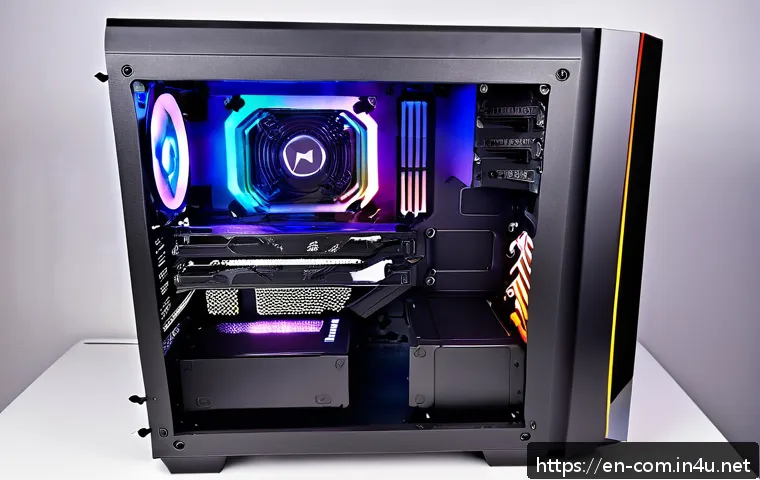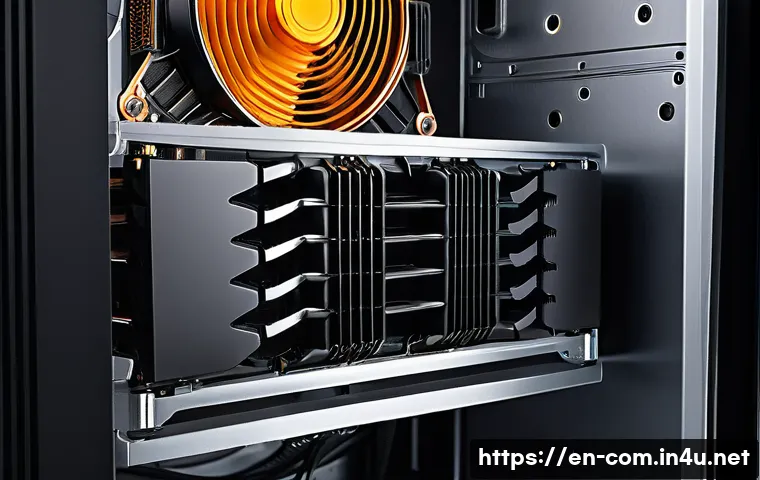
Hey PC enthusiasts! Ever found yourself staring at two boxes – a chunky air cooler and a sleek liquid cooler – wondering which one is truly right for your precious rig?
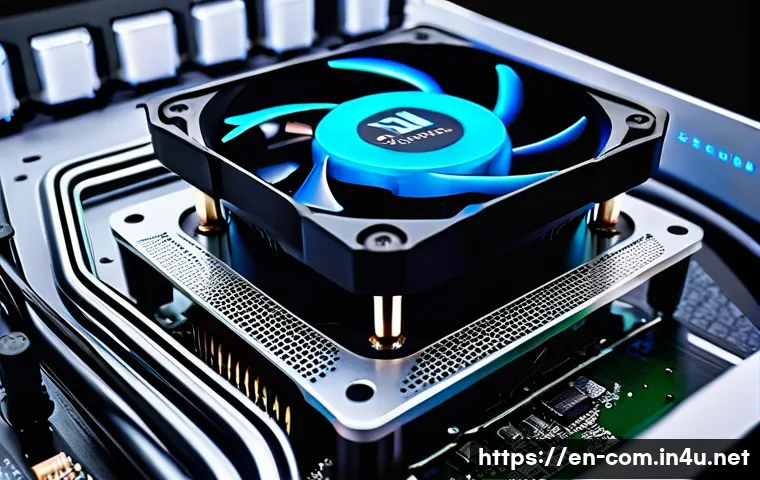
Trust me, I’ve been there countless times. With today’s powerful CPUs and GPUs, especially those pushing the limits for gaming, streaming, or even diving into intensive AI workloads, effective cooling isn’t just an option; it’s absolutely essential.
We’re talking about preventing thermal throttling, extending component lifespan, and keeping those framerates buttery smooth. I’ve personally seen setups go from frustratingly loud and underperforming to whisper-quiet powerhouses just by making the right cooling choice.
It’s not just about raw performance anymore either; aesthetics, noise levels, and even the ease of installation have become massive factors for builders.
Is the classic, reliable hum of a fan still king, or has the silent, efficient elegance of liquid cooling finally taken over? With new technologies constantly evolving and the demands on our systems growing, understanding the nuances between these two titans of thermal management is more important than ever.
Ready to decode the mysteries of PC cooling and ensure your build stays chill? Let’s get into the specifics and find out exactly what’s best for you.
Unpacking the Thermal Showdown: Air vs. Liquid
Alright, let’s cut to the chase and talk about what’s actually happening inside your PC when it comes to cooling. When I first started building, I just thought “bigger fan, better cooling,” and while that’s not entirely wrong, it certainly doesn’t tell the whole story. Air cooling, in its essence, is all about brute force and surface area. You’ve got a heatsink, usually a massive block of aluminum or copper with fins, and heat pipes designed to draw heat away from your CPU. Then, a fan, or sometimes multiple fans, blasts air through those fins, effectively carrying the heat away from the component and out of your case. It’s a tried-and-true method, incredibly reliable, and honestly, for most everyday users and even a good chunk of gamers, it does an excellent job. I’ve personally run some fairly demanding CPUs on high-end air coolers for years without a single hiccup, even during long gaming sessions or when dabbling in video editing. The beauty of it lies in its simplicity – fewer moving parts, less potential for failure, and a fundamentally direct approach to thermal management. It’s like a trusty old pickup truck; reliable, gets the job done, and you know exactly what you’re working with. For someone just dipping their toes into PC building or looking for a ‘set it and forget it’ solution, air cooling definitely holds a special place in my heart for its sheer dependability.
The Art of Airflow: How Heatsinks Work Their Magic
Think of your CPU as a tiny furnace, constantly generating heat, especially when it’s under load. An air cooler’s job is to efficiently whisk that heat away. The baseplate of the heatsink sits directly on top of your CPU, often with a thin layer of thermal paste to ensure maximum heat transfer. From there, heat pipes, usually made of copper and filled with a tiny amount of liquid that vaporizes and condenses, quickly move that heat up into a stack of metal fins. It’s truly an ingenious passive system that becomes active once those fans kick in. I always tell my friends, the more surface area those fins have, the more efficiently heat can dissipate into the air. That’s why you see some air coolers looking like small skyscrapers inside your case – they’re maximizing that surface area for optimal heat exchange. It’s a delicate balance between fin density, heat pipe count, and fan static pressure to get the best performance, and frankly, some of the engineering marvels in air cooling today are just stunning.
Liquid’s Elegance: The Closed-Loop Cooling System
Now, liquid cooling, particularly the all-in-one (AIO) closed-loop systems, operates on a fundamentally different principle. Instead of just air, a specialized coolant fluid circulates through a closed loop. A cold plate sits on your CPU, absorbing the heat directly into the liquid. This heated fluid then travels through tubes to a radiator, which is essentially a larger heatsink. Fans are mounted on this radiator to push air through its fins, cooling the liquid, which then cycles back to the cold plate to repeat the process. It’s an incredibly efficient way to move heat, especially from a small, concentrated area like a CPU die, to a much larger dissipation area (the radiator). I remember the first time I installed an AIO; the sheer volume of heat it could manage compared to a similarly priced air cooler was eye-opening. The fluid’s higher thermal conductivity means it can pick up and carry away more heat more effectively, which is a massive advantage when you’re dealing with scorching hot, high-core-count processors or pushing serious overclocks. It’s a more complex dance of pumps, fluids, and fans, but when it’s working, it’s a silent symphony of thermal control.
Performance Prowess: Keeping Your Chipset Chill
When it comes down to raw thermal performance, especially for those of us pushing our systems to their absolute limits, the choice between air and liquid can make a noticeable difference. I’ve personally run countless benchmarks, from Cinebench loops to stress testing with Prime95, and the results have consistently shown that while high-end air coolers are incredibly capable, liquid cooling often has the edge when things get really hot. This isn’t always about average temperatures, but rather how well a cooler can handle those intense, short bursts of heat, and more importantly, maintain lower temperatures under sustained, heavy loads. For anyone dabbling in serious overclocking, or if you’re running a CPU known for its heat output, like some of the latest Intel i9s or AMD Ryzen 9s, that extra thermal headroom provided by an AIO can mean the difference between stable, high clock speeds and frustrating thermal throttling. I’ve witnessed my own frame rates dip in games like Cyberpunk 2077 or during video renders when my CPU starts hitting its thermal limit, and upgrading to an AIO almost always smooths out those performance inconsistencies. It’s not just about bragging rights; it’s about unlocking your components’ full potential.
Air Cooling’s Sweet Spot: When It’s More Than Enough
Let’s be real: not every CPU needs a complex liquid cooling setup. For the vast majority of gaming PCs, professional workstations, or everyday machines, a well-designed air cooler is not just adequate, but often optimal. If you’re running a mid-range CPU, say an Intel i5 or an AMD Ryzen 5 or 7 that isn’t heavily overclocked, a quality tower air cooler can keep temperatures perfectly in check, often at lower noise levels than some budget AIOs. I’ve had builds where a beefy Noctua NH-D15 or a Be Quiet! Dark Rock Pro 4 absolutely crushed it, keeping my CPU well below worrying temperatures even during intense gaming sessions. The key here is matching the cooler to the CPU’s thermal design power (TDP) and your usage patterns. If you’re not planning on breaking any world records with your clock speeds, the cost-effectiveness and sheer reliability of a good air cooler are incredibly appealing. It’s like using a precise scalpel instead of a sledgehammer when a scalpel is all you need.
Liquid’s Uncontested Reign: The Overclocking Edge
However, when you start talking about pushing your CPU far beyond its stock speeds, or if you’re rocking a chip that simply runs hot even at factory settings, liquid cooling really starts to shine. The ability of a liquid loop to rapidly absorb and transport a large amount of heat to a remote radiator means it can handle those sudden spikes in thermal load much more effectively. I remember trying to push my old i7-9700K to 5.2GHz on an air cooler, and while it could sustain it for short bursts, longer gaming sessions inevitably led to thermal throttling. Swapping to a 280mm AIO made all the difference, allowing me to maintain that clock speed with much lower temperatures and far greater stability. For enthusiasts, content creators running heavy rendering tasks, or anyone who simply wants the absolute best thermal performance for their high-end CPU, liquid cooling offers that crucial extra headroom. It allows your processor to boost higher and stay there longer, translating directly into more performance for your dollar. It’s like having a dedicated express lane for heat transfer, significantly speeding up the entire process.
The Soundtrack to Your Setup: Noise Levels Compared
Noise, oh, noise! For many of us, especially those who spend hours in front of their PCs, the acoustic performance of a cooling solution is almost as important as its thermal capabilities. I cannot stress this enough: a whisper-quiet PC is a joy to behold, especially during late-night gaming sessions or when you’re trying to focus on work. My personal journey has been a constant quest for silence, and I’ve learned that both air and liquid coolers have their own distinct acoustic signatures. Air coolers tend to produce a more consistent hum, primarily from their fans, which can become quite noticeable under load, especially with smaller, faster-spinning fans. Liquid coolers, on the other hand, introduce the sound of a pump into the equation, along with the radiator fans. The overall noise profile can be quite different, and what one person finds acceptable, another might find irritating. It’s a highly subjective area, but with good planning, you can achieve a remarkably quiet system regardless of your cooling choice. I’ve spent countless hours tweaking fan curves and selecting specific fan models, all in pursuit of that elusive silence.
Air Cooler Harmonies: Fans and Airflow
The primary source of noise from an air cooler comes from its fans. The size, design, and rotational speed of these fans play a huge role in how loud your system will be. Larger fans, typically 120mm or 140mm, can move more air at lower RPMs, resulting in less noise. Smaller, high-RPM fans, while effective at cooling, can create a noticeable whooshing sound. Additionally, the design of the heatsink fins themselves can influence noise, as air rushing through tightly packed fins can create turbulence and an audible hiss. I’ve found that investing in quality, low-noise fans from brands like Noctua or Be Quiet! can make a world of difference. Proper fan curves in your BIOS or through software can also drastically reduce noise by only ramping up fan speeds when absolutely necessary. It’s all about balancing airflow with acoustic comfort, and with air coolers, you have a direct relationship between fan speed and the amount of noise generated. It’s a simple equation, but mastering it takes a bit of experimentation.
Liquid’s Lullabies: Pumps, Radiators, and Resonance
Liquid coolers introduce the pump as a new source of noise. While modern AIO pumps are incredibly quiet, some users are sensitive to a low hum or subtle whirring sound, especially when the system is otherwise silent. Radiator fans are similar to case fans, and their noise characteristics depend on their size and speed. However, with liquid cooling, you also have the potential for gurgling noises when air gets trapped in the loop, particularly during initial setup or if the unit isn’t oriented correctly. I’ve had a few instances where a new AIO would make a faint gurgle for the first day or two before the air settled, which can be a little unnerving. The beauty, however, is that radiator fans are often running at lower RPMs to cool the liquid, which is already doing a fantastic job of heat transfer, potentially leading to a quieter overall system under lighter loads. It really comes down to the specific model and how well the pump and fans are implemented, but achieving near-silent operation with an AIO is definitely attainable with a bit of research and component selection.
The Builder’s Journey: Installation and Integration
For many PC builders, myself included, the installation process is a significant factor in deciding between cooling solutions. I’ve been through enough fiddly installations to appreciate a straightforward, no-nonsense setup. Air coolers generally hold the crown for simplicity, especially the smaller and mid-range options. They’re often just a matter of applying thermal paste, mounting the heatsink, and clipping on the fan. Larger air coolers can be a bit more cumbersome due to their sheer size and weight, sometimes requiring you to install them before putting the motherboard into the case. Liquid coolers, especially AIOs, introduce a few more steps: mounting the cold plate to the CPU, securing the radiator to a fan mount point in your case, and routing the tubes cleanly. While not overly complex, it does add a layer of consideration for case compatibility and cable management. My first custom liquid loop build was an absolute nightmare of leaks and rerouting, but that’s a story for another day! For AIOs, though, it’s mostly smooth sailing if you follow the instructions, but you still need to think about where that radiator is actually going to fit.
The Straightforward Path: Air Cooler Installation
Mounting an air cooler typically involves securing a backplate behind your motherboard, attaching standoffs, and then mounting the cooler itself. For smaller coolers, this can take literally minutes. Even large tower coolers, while sometimes requiring a second pair of hands to hold things steady, are generally quite intuitive. The biggest challenge I’ve faced with large air coolers is their sheer bulk. They can sometimes overhang RAM slots, making it difficult to install or remove memory modules, or even block the first PCIe slot on some motherboards. You also have to consider your case’s clearance – will the cooler actually fit vertically? I’ve made the mistake of buying a cooler that was too tall for my case more times than I care to admit. But once it’s in, it’s typically rock solid and doesn’t demand much more attention. The simplicity and robust nature of air cooler installation is a huge selling point for those who prefer a less complicated build process, or for first-time builders who want to avoid extra steps.
Navigating the Waters: AIO and Custom Loop Integration
Liquid cooler installation, particularly for AIOs, requires a bit more foresight. You need to identify suitable mounting points for your radiator – usually in the front, top, or rear of your case – and ensure there’s enough clearance for both the radiator and its fans. Tube routing is also important for aesthetics and to prevent kinking. While AIOs are much simpler than full custom loops, they still involve more components than an air cooler. The pump/cold plate unit needs to be mounted on the CPU, then the radiator needs to be screwed into its chosen spot, and finally, the tubes need to be managed. For those considering custom loops, the complexity ramps up significantly, involving careful planning of tube runs, fittings, reservoir placement, and pump integration. I’ve spent entire weekends planning custom loops, and while the result is incredibly satisfying, it’s definitely not for the faint of heart or the impatient. For AIOs, however, the process is streamlined enough that most builders can handle it with confidence, provided they’ve checked their case compatibility beforehand.
Keeping It Running: Maintenance and Longevity
Nobody wants to spend their precious gaming or working time fussing with PC maintenance, and this is another area where air and liquid cooling diverge significantly. When it comes to air coolers, maintenance is usually pretty simple: dust. Lots of it. Over time, dust bunnies will inevitably accumulate between the fins of your heatsink and on your fan blades, reducing cooling efficiency. A blast of compressed air every few months, or a quick wipe-down, is usually all it takes to keep an air cooler performing optimally. I’ve had air coolers last through multiple PC builds, sometimes for over a decade, with nothing more than routine dusting. They’re incredibly robust and have very few points of failure. Liquid coolers, while generally reliable, have a few more considerations. The pump is a single point of failure, and over many years, the coolant can slowly evaporate or degrade. While sealed AIO units require no refills, their lifespan is generally considered to be shorter than that of a well-maintained air cooler, primarily due to the pump and fluid. I always tell people to think of an air cooler as a sturdy, low-maintenance appliance, and an AIO as something a little more akin to a car engine – needing a bit more attention, but offering different benefits.
The Dust Buster: Air Cooler Upkeep
Maintaining an air cooler is pretty much a no-brainer. The biggest enemy is dust. It acts as an insulator, trapping heat and making your fans work harder and louder. My routine usually involves popping off the side panel of my case every three to six months, giving the heatsink fins a good blast with a can of compressed air, and carefully wiping down the fan blades. It’s a quick job, maybe ten minutes tops, and it makes a noticeable difference in temperatures and fan noise. You also want to keep an eye on the thermal paste; while it typically lasts for years, if you ever remove the cooler, you’ll need to clean off the old paste and apply a fresh layer. That’s really about it. No fluids to check, no pumps to worry about, and no potential leaks. This simplicity is a massive draw for many users who want a reliable, fuss-free cooling solution that will likely outlive many of their other components. It’s the ultimate ‘set it and forget it’ option, provided you don’t mind a little bit of dust-busting now and then.
Liquid’s Delicate Dance: Pump Health and Fluid Integrity
Liquid coolers, especially AIOs, require less frequent but potentially more involved maintenance. Since the loop is sealed, you don’t typically need to top up the fluid. However, the pump is the heart of the system, and like any mechanical part, it has a finite lifespan. I’ve had AIO pumps fail after a few years, leading to immediate CPU overheating. It’s a stark reminder that while they offer great performance, they do introduce an additional point of potential failure. Beyond that, keeping the radiator fins clean from dust is just as important as with an air cooler, as dust will impede the radiator’s ability to dissipate heat. For custom loops, maintenance ramps up considerably. This includes regular fluid changes, checking for sediment buildup, and inspecting fittings for leaks. It’s a commitment, but for those who love the customization and extreme performance of a custom loop, it’s part of the hobby. For AIOs, the main takeaways are to keep the radiator dust-free and be aware that the pump won’t last forever. Regular monitoring of your CPU temperatures is always a good idea, regardless of your cooling choice, but perhaps even more so with an AIO to catch potential pump issues early.
| Feature | Air Cooling | Liquid Cooling (AIO) |
|---|---|---|
| Performance (Thermal) | Excellent for most users; good for moderate overclocks. | Superior for high-end CPUs, heavy loads, and aggressive overclocks. |
| Noise Levels | Fan noise can be noticeable under load; generally consistent hum. | Pump hum plus fan noise; often quieter under light loads, can be very silent with good fans. |
| Installation Complexity | Generally straightforward; large coolers can be bulky. | Slightly more involved (radiator mounting, tube routing); case compatibility is key. |
| Maintenance | Simple: periodic dusting. Highly reliable. | Dusting radiator; pump is a potential point of failure; no fluid refills for sealed units. |
| Cost | Generally more affordable, excellent value at all price points. | Higher initial cost, especially for larger radiators/premium models. |
| Aesthetics | Large heatsinks can dominate the motherboard; classic, industrial look. | Sleek, minimalist look; showcases motherboard/RAM; RGB options common. |
The Financial Frontier: Cost and Long-Term Value
Let’s talk money, because let’s face it, our wallets often play a huge role in our PC building decisions. When you compare air coolers and liquid coolers, there’s usually a pretty clear distinction in price points, especially at the entry to mid-range. Air coolers offer incredible value, often delivering fantastic performance for a fraction of the cost of a comparable AIO. You can get a seriously capable air cooler for $30-$70 that will comfortably cool most mainstream CPUs. High-end air coolers, while pricier, still tend to undercut all but the smallest AIOs. Liquid coolers, particularly 240mm or 360mm AIOs, start at a higher price point, typically from $80-$150, and can go much higher for premium models or custom loop components. This initial cost difference isn’t just about raw performance; it also factors in the complexity of the components and the manufacturing processes. I’ve always found that for pure bang-for-your-buck cooling, air coolers are hard to beat, especially if you’re on a budget or simply don’t need the absolute bleeding edge of thermal management. However, when you consider factors beyond just price, like aesthetics or extreme overclocking potential, the value proposition can shift. It’s about weighing what you truly need versus what you’re willing to spend.
Initial Investment: What You Get For Your Buck
When you’re first building a PC, every dollar counts, and cooling is one area where you can really optimize your spending. For example, a $50 air cooler can easily outperform a stock cooler and provide excellent temperatures for an i5 or Ryzen 5. It’s a foundational component that gives you immediate value. Moving up, a $90 air cooler can go head-to-head with many 240mm AIOs in terms of performance while often being quieter. On the flip side, an entry-level AIO might cost you $70-$100 for a 120mm or 240mm unit. While these are often compact and offer decent cooling, you’re paying a premium for the liquid aesthetic and the slightly different thermal transfer mechanism. I often advise new builders to consider their CPU choice first; if it’s a mainstream chip, that extra money for a liquid cooler might be better spent on a faster GPU or more RAM. The value of an air cooler at every price point is undeniable, offering solid performance without breaking the bank, which is a huge advantage for many builders.
Future-Proofing and Upgrade Paths
When thinking about long-term value, air coolers generally shine due to their inherent simplicity and robustness. They have fewer parts that can fail, and a well-built heatsink can easily outlast multiple CPUs and motherboards. I’ve personally reused several high-end air coolers across three or four different system upgrades, only needing a new mounting bracket for a different socket type. This longevity means a lower total cost of ownership over many years. Liquid coolers, while powerful, have a more limited lifespan due to the pump and the nature of the fluid. An AIO typically comes with a warranty of 3-5 years, and while many last longer, it’s generally accepted that they won’t last indefinitely. This means you might need to replace your AIO sooner than an air cooler, adding to the long-term cost. However, for those who prioritize maximum performance or specific aesthetics, the slightly shorter lifespan and higher initial cost of an AIO might be a worthwhile trade-off. It really boils down to your personal priorities: absolute longevity and frugality, or peak performance and a sleek look with a potential replacement cycle down the road.
Beyond Performance: Aesthetics and Build Appeal
Let’s be honest, in today’s PC building world, it’s not just about what’s under the hood; it’s also about how it looks. Many of us spend hours meticulously selecting components, routing cables, and arranging RGB lighting to create a visually stunning machine. This is an area where air and liquid cooling offer vastly different aesthetics. Air coolers, especially the large tower designs, have a very distinct, often industrial, look. They can dominate the motherboard, sometimes obscuring your RAM or motherboard heatsinks. However, some brands have embraced this, offering sleek black or chrome designs that look incredibly premium and purposeful. Liquid coolers, particularly AIOs, tend to offer a much cleaner, more minimalist look. With the radiator tucked away and only the CPU block and tubes visible, they allow your motherboard, RAM, and other components to truly shine. I’ve seen some absolutely breathtaking builds with custom liquid loops that are works of art in themselves, completely transforming the visual appeal of a PC. It’s a huge factor for many builders, especially those who enjoy showcasing their rigs or participate in modding competitions. I remember agonizsing over whether a massive air cooler would overshadow my expensive RGB RAM, and ultimately, aesthetics played a big part in my decision to switch to an AIO in that particular build.
The Bold Statement: Air Cooler Visuals
When you opt for a large air cooler, you’re making a statement. These coolers are often imposing, with their tall fin stacks and prominent fans. For some, this speaks to raw power and reliability, a kind of retro-tech charm. Brands like Noctua, with their iconic brown and beige fans, have cultivated a loyal following not just for performance, but for their distinctive look. Others offer all-black designs that blend seamlessly into many builds. The main challenge, visually, is the sheer physical presence. They take up a lot of space and can sometimes make your build feel a bit cramped. However, for a clean, minimalist build where you want the focus to be on performance and subtle elegance, a well-chosen air cooler can actually enhance the aesthetic, especially if it complements the color scheme of your other components. I’ve seen some incredible builds where the air cooler acts as a centerpiece, rather than just a functional component, showcasing a more traditional, robust approach to PC design.
Sleek & Modern: The Liquid Look
Liquid cooling, by its very nature, tends to offer a much cleaner and more open aesthetic inside your case. The CPU block is typically much smaller than an air cooler, leaving plenty of room around the socket to showcase your RAM sticks, motherboard VRM heatsinks, or any other intricate details. The tubes add a modern, almost futuristic touch, and can be routed in various ways to achieve different visual effects. Plus, AIOs are practically synonymous with RGB lighting these days, with illuminated CPU blocks and fans that can be synchronized with the rest of your system. This allows for an incredible level of customization and visual flair that’s harder to achieve with most air coolers. For those who want their build to be a centerpiece, something to gaze at and admire, liquid cooling often provides that elevated aesthetic. I’ve personally found immense satisfaction in carefully planning tube runs and coordinating RGB effects with an AIO, transforming a functional machine into a glowing, dynamic display of technology.
Wrapping Things Up
Whew, that was quite the deep dive into the fascinating world of PC cooling, wasn’t it? After breaking down the nuances of air versus liquid, I hope you feel a little more confident in making the right choice for your next build or upgrade. What truly stands out to me, having tried and tested countless setups over the years, is that there isn’t a single “best” solution for everyone. It genuinely boils down to what you prioritize: raw thermal power for those intense overclocking sessions, whisper-quiet operation for a serene workspace, or perhaps the sheer reliability and straightforward nature of a well-engineered air cooler. Every builder’s journey is unique, and finding that perfect balance between performance, aesthetics, and budget is part of the fun. So, whether you lean towards the tried-and-true or the sleek and modern, remember that keeping your CPU chill is key to unlocking its full potential and ensuring a long, happy life for your precious components!
Handy Tips You’ll Appreciate
1. Always double-check your case compatibility. This is a rookie mistake I’ve made more times than I care to admit! Before you even think about hitting that ‘buy’ button, grab your case’s specifications and measure, measure, measure. For air coolers, you’re looking at maximum cooler height. For liquid coolers, it’s radiator size (120mm, 240mm, 360mm, etc.) and clearance for both the radiator itself and its fans in your chosen mounting spots (front, top, or rear). Nothing’s worse than an exciting delivery day turning into a frustrating return because your shiny new cooler just won’t fit. Trust me, a little planning here saves a lot of headaches later on.
2. Don’t underestimate the power of good thermal paste. It might seem like a small detail, but the interface between your CPU’s integrated heat spreader (IHS) and your cooler’s cold plate is absolutely critical for efficient heat transfer. Even the most powerful cooler can be hobbled by poor paste application or low-quality compound. A pea-sized blob in the center or a thin line across the CPU, followed by the cooler’s mounting pressure, is usually all it takes. I’ve experimented with various brands, and while some offer marginal gains, opting for a reputable brand can make a noticeable difference in your overall temperatures. It’s a small investment that yields big cooling rewards!
3. Take the time to optimize your fan curves. This is where you can truly dial in the balance between cooling performance and noise levels. Most modern motherboards offer extensive fan control options in the BIOS or through companion software. Don’t just leave them at their default settings! Experiment with setting lower RPMs for idle or light loads to keep things whisper-quiet, and then gradually ramp them up as temperatures rise under heavier loads. You’ll be amazed at how much quieter and more pleasant your system can become without sacrificing thermal performance. It’s a game-changer for daily use, especially if you spend hours at your desk.
4. Regular dusting is your best friend for long-term efficiency. Whether you’re running an air cooler or an AIO, dust is the ultimate enemy of thermal performance. It builds up between heatsink fins and on fan blades, acting as an insulating blanket that traps heat and forces your fans to work harder and louder. Make it a habit to give your PC a good clean with a can of compressed air every few months. Focus on blasting out the dust from your CPU cooler and radiator fins, as well as any case intake and exhaust fans. This simple routine will keep your cooling system running at peak efficiency and extend the lifespan of your components.
5. Always keep an eye on your temperatures, regardless of your cooling choice. Knowledge is power, and knowing your CPU’s temperature while gaming or working is crucial for both performance and longevity. Software like HWMonitor, MSI Afterburner, or NZXT CAM can provide real-time temperature readings. This allows you to quickly identify any potential issues, like a failing pump in an AIO or an air cooler clogged with dust, before they lead to thermal throttling or component damage. It’s like checking the oil in your car – a quick glance can save you a lot of trouble down the road and ensure your rig is always running smoothly.
Key Takeaways
So, where do we land in this cooling conundrum? Ultimately, the “best” cooler is the one that best suits your specific needs, budget, and aesthetic preferences. If reliability, cost-effectiveness, and straightforward maintenance are at the top of your list, a high-quality air cooler remains an exceptional choice, often delivering performance that rivals many liquid solutions for a fraction of the price. They’re robust, long-lasting, and simply get the job done without fuss. However, if you’re pushing for extreme overclocks, craving that sleek, uncluttered aesthetic, or building a showpiece PC with vibrant RGB, then a liquid cooler, particularly an AIO, truly shines. It offers superior thermal headroom for the most demanding tasks and provides a modern, clean look that can elevate your build’s visual appeal. Both solutions are fantastic in their own right, and the journey of choosing the right one is an integral part of the PC building experience!
Frequently Asked Questions (FAQ) 📖
Q: So, which one is actually better for performance – air cooling or liquid cooling?
A: Honestly, this is the million-dollar question, and it really boils down to what you’re trying to achieve with your PC! For most everyday users and even a lot of casual gamers, a good quality air cooler is more than enough.
Modern air coolers with their hefty heatsinks and efficient fans can handle quite a bit, keeping your CPU cool and boosting within safe limits. From my own builds and countless friends’ setups, I’ve found that unless you’re pushing serious overclocks on a high-end, heat-generating CPU like an Intel i9 or an AMD Ryzen 9, you might not see a massive real-world performance difference that justifies the extra cost of liquid cooling.
However, if you’re chasing every last megahertz, diving deep into competitive gaming with extreme overclocks, or running intensive tasks like video rendering, 3D modeling, or serious AI computations for hours on end, then a liquid cooler, especially an AIO (All-In-One) with a large radiator or a custom loop, will absolutely give you that extra thermal headroom.
It’s like having a dedicated high-performance lane for your CPU’s heat. They generally dissipate heat more efficiently across a larger surface area, leading to lower temperatures under sustained heavy loads, which means less thermal throttling and more consistent boost clocks.
It’s all about finding that sweet spot for your specific needs and budget!
Q: What about the noise?
A: nd does one look “cooler” than the other? A2: Oh, this is where personal taste and user experience really come into play! When it comes to noise, it’s not always a clear win for one side.
A well-designed air cooler, especially a large tower cooler with low-RPM fans, can be surprisingly quiet. The hum of a few quality fans can often blend into the background.
However, under heavy load, those fans have to spin faster, and that’s when you can definitely hear them working. Liquid coolers, on the other hand, typically have smaller fans on the radiator, but they also introduce a pump, which can sometimes produce a subtle hum or gurgle.
I’ve had both extremely quiet air-cooled rigs and liquid-cooled systems where the pump noise was barely noticeable, and vice-versa. It really depends on the specific models and your fan curve settings.
Now for aesthetics – this is where liquid cooling often gets the edge in the “wow” factor. There’s nothing quite like the clean look of an AIO with its sleek block on the CPU and the radiator tucked away, especially with RGB lighting on the pump head and fans.
It gives your build a very modern, streamlined, and often customizable appearance. Air coolers, while becoming much more stylish, tend to be large, dominant blocks that fill up a lot of the motherboard area.
Some people love that imposing, industrial look, while others prefer the open space and minimalist vibe that liquid cooling can offer. It really boils down to your personal aesthetic vision for your rig.
Are you going for a bold, imposing look, or a clean, futuristic vibe?
Q: Is one significantly harder to install or maintain than the other?
A: Let’s be real, nobody wants to spend all day wrestling with their PC components, right? Generally speaking, air coolers are the undisputed champions when it comes to ease of installation.
Most modern air coolers are pretty straightforward: apply thermal paste, mount the heatsink, and clip on the fan(s). My first liquid cooler installation was an adventure, to say the least, but they’ve come a long way!
AIO liquid coolers are much simpler now than custom loops, but they still involve mounting the pump/block, securing the radiator to a fan mount, and routing tubes – which can be a bit trickier, especially in smaller cases.
You also need to consider radiator and fan clearance for things like RAM or your GPU. As for maintenance, air coolers are usually lower maintenance. You just need to periodically clean the dust out of the fins and fans, which is typically a simple blast with compressed air.
Liquid coolers, while generally reliable, have a few more potential points of failure (the pump) and require a bit more attention. While AIOs are sealed units and don’t require topping up coolant, you still need to keep the radiator fins clean.
And if you ever go the custom loop route, that’s a whole different ball game with regular fluid changes and leak checks – definitely not for the faint of heart or those short on time!
So, if you’re looking for a “set it and forget it” solution with minimal fuss, a good air cooler will probably be your best friend.